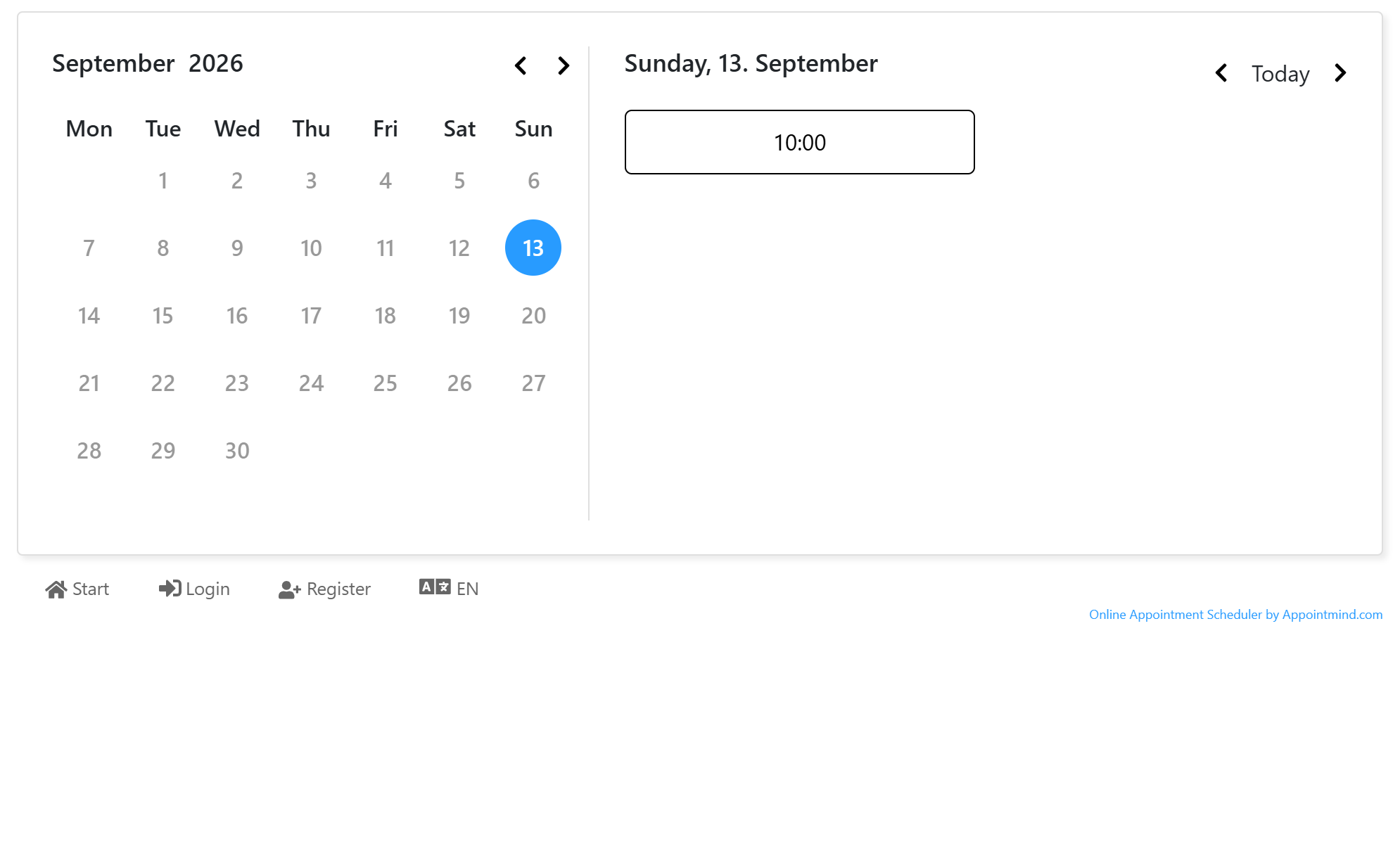
Make Appointments Available
These instructions only apply if you have blocked all appointment times by default.
- Click Calendar in the navigation bar.
- Select a day and time by checking the corresponding box.
- Scroll down to the bottom and select the capacity number.
- If the timeslots should be available each week, check Release weekly.
- Click Release appointment times.
- You will see a confirmation message.
- The released timeslots now appear in a different color.
- The timeslots are now available in the frontend calendar.
Screenshots
Click Calendar in the navigation bar
1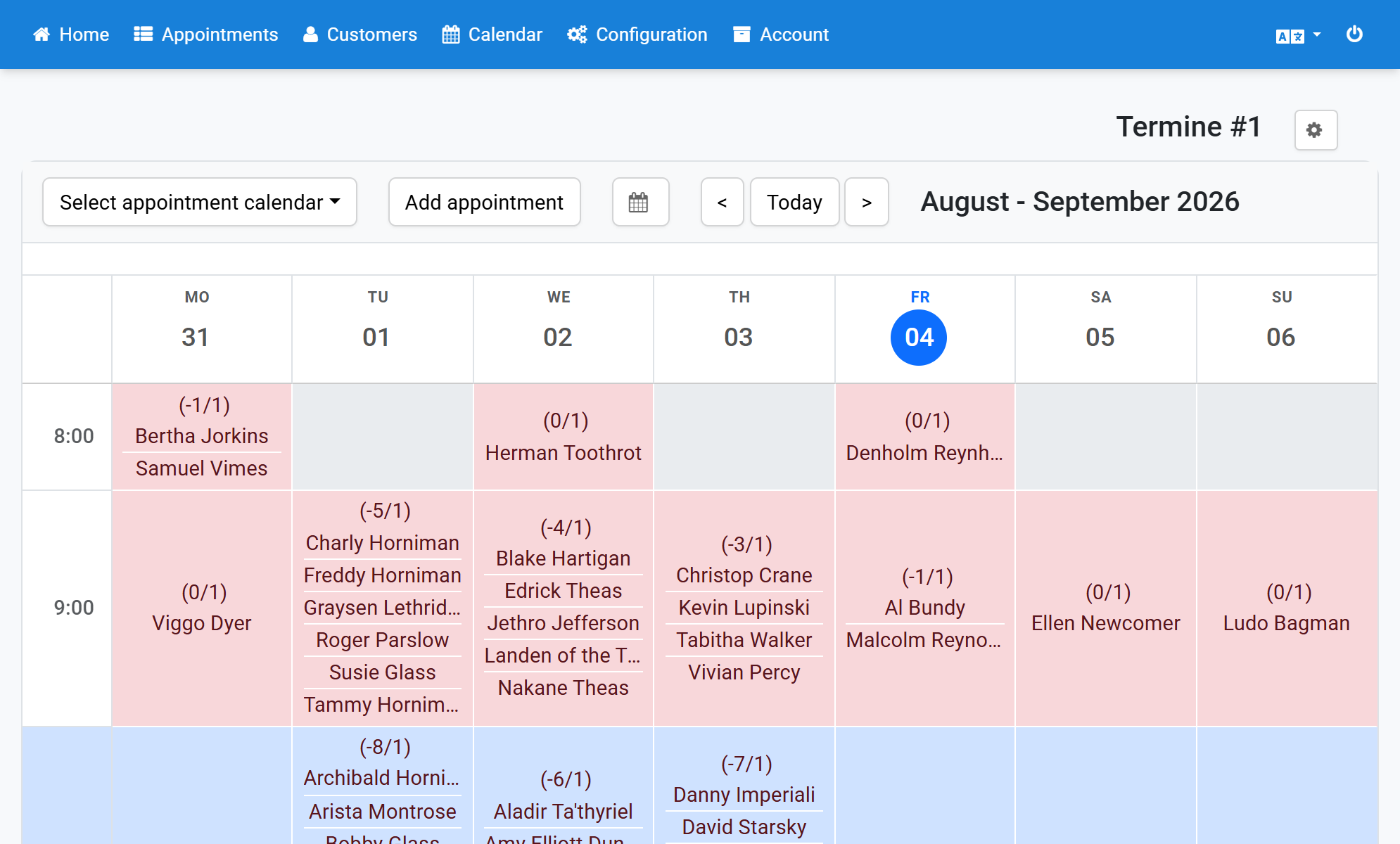
Select a day and time by checking the corresponding box
2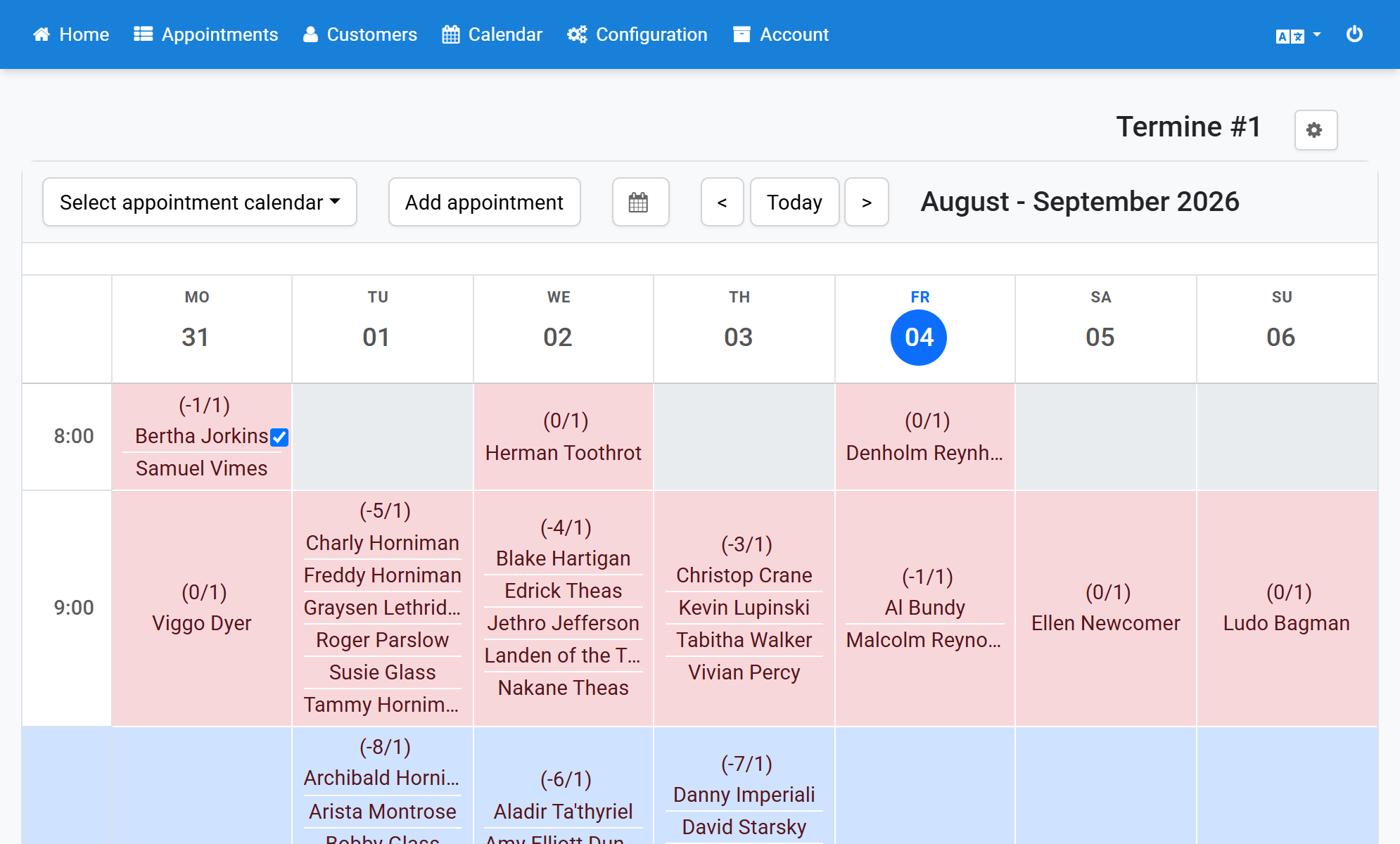
Scroll down to the bottom and select the capacity number
3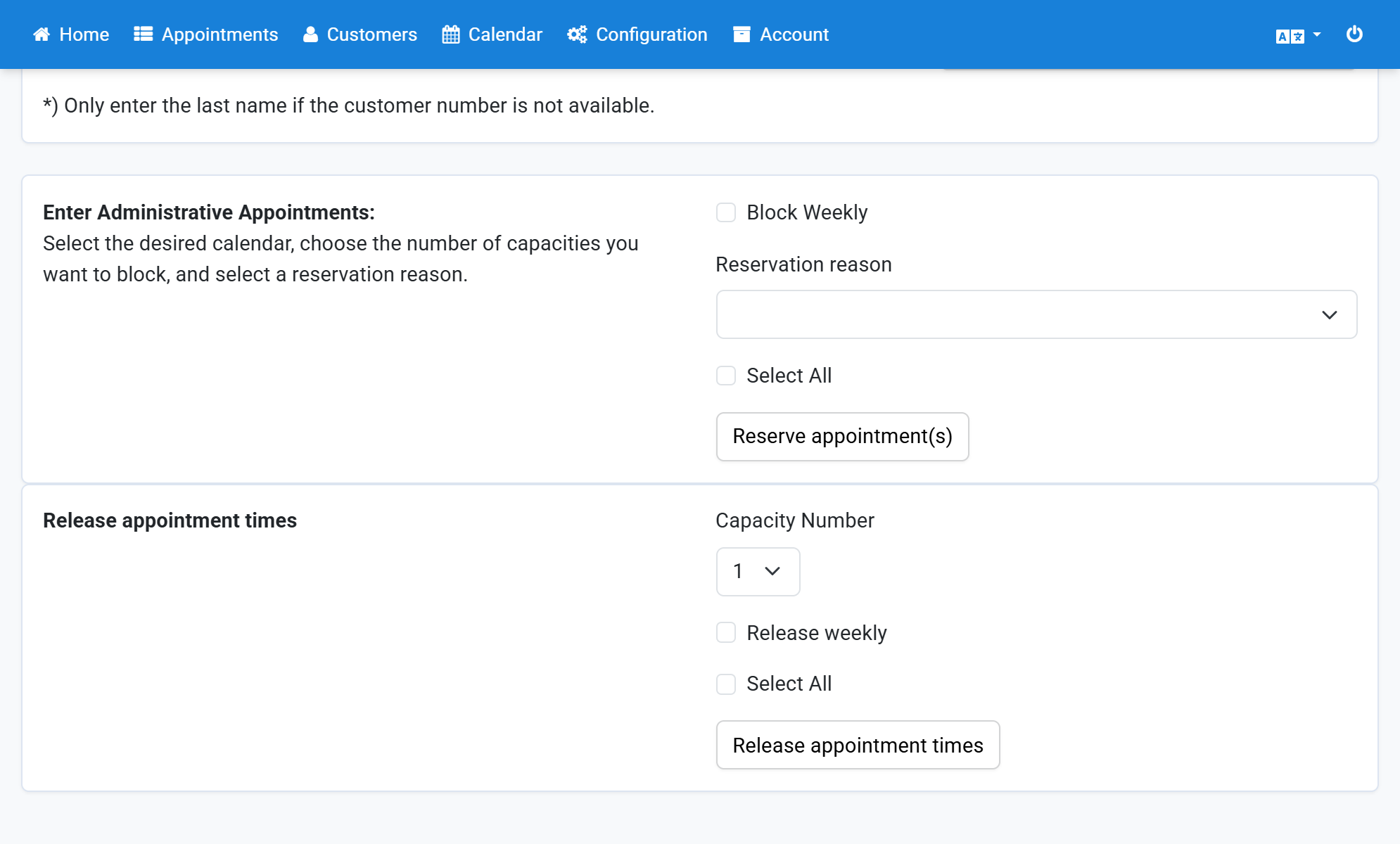
If the timeslots should be available each week, check Release weekly
4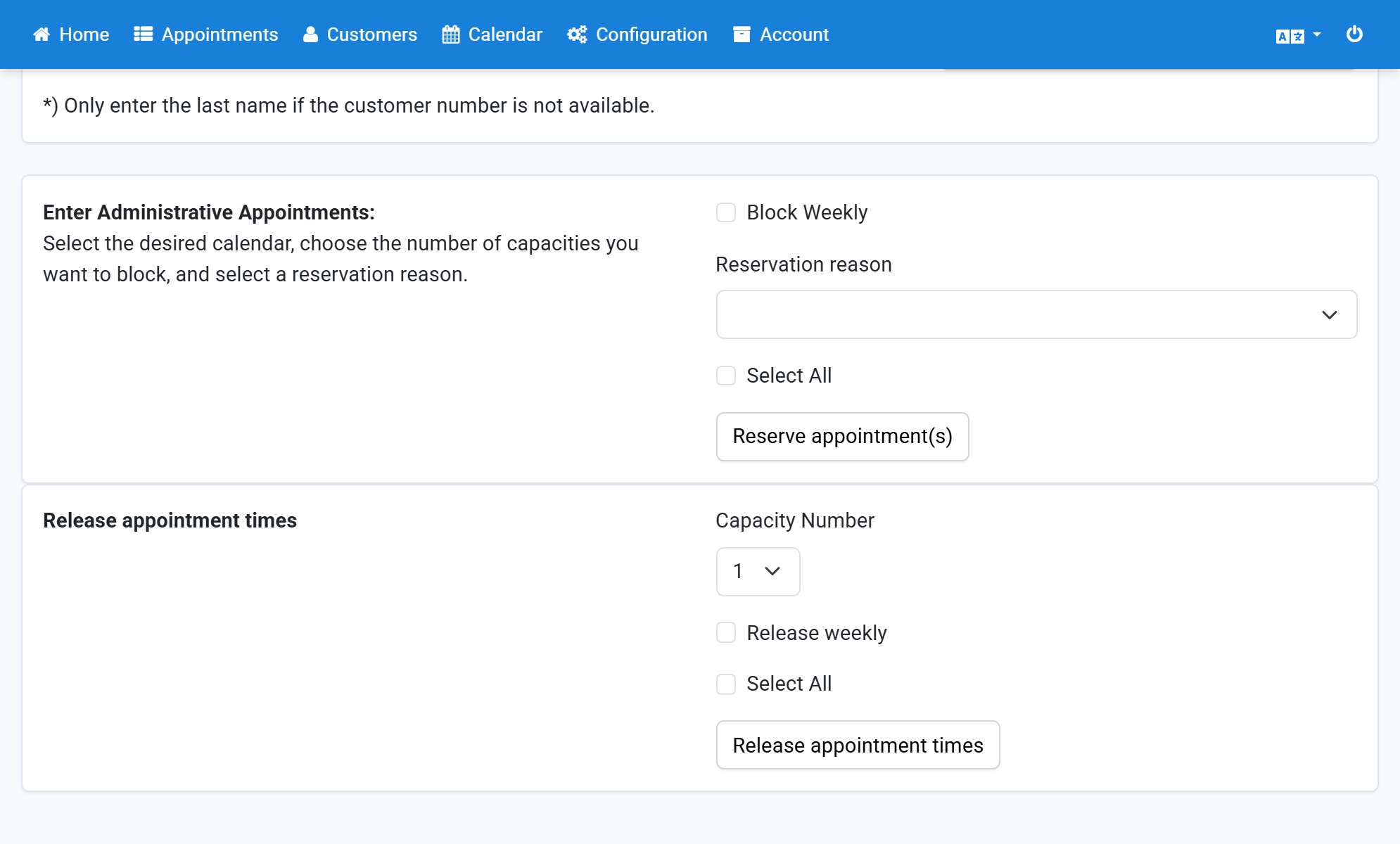
Click Release appointment times
5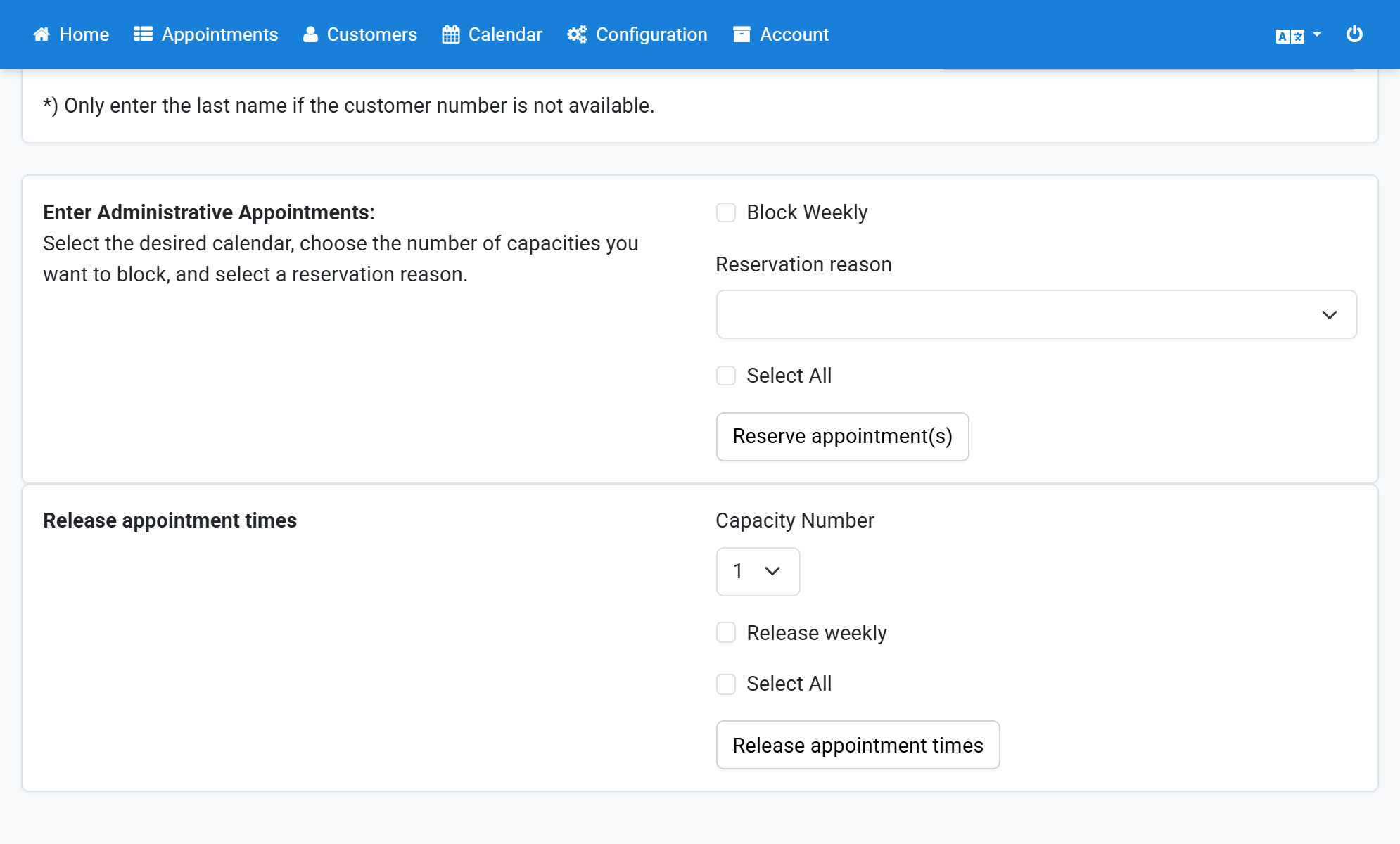
You will see a confirmation message
6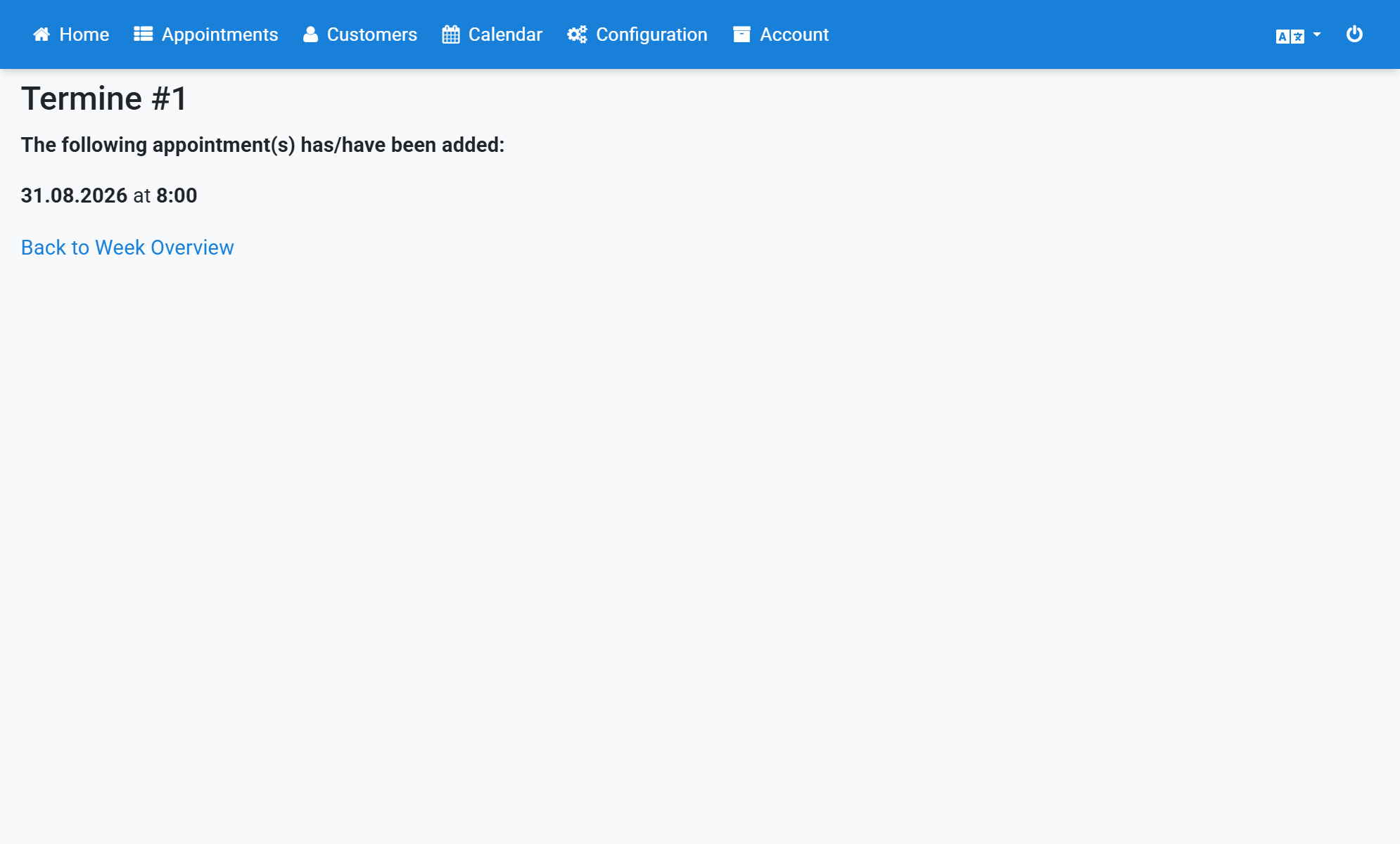
The released timeslots now appear in a different color
7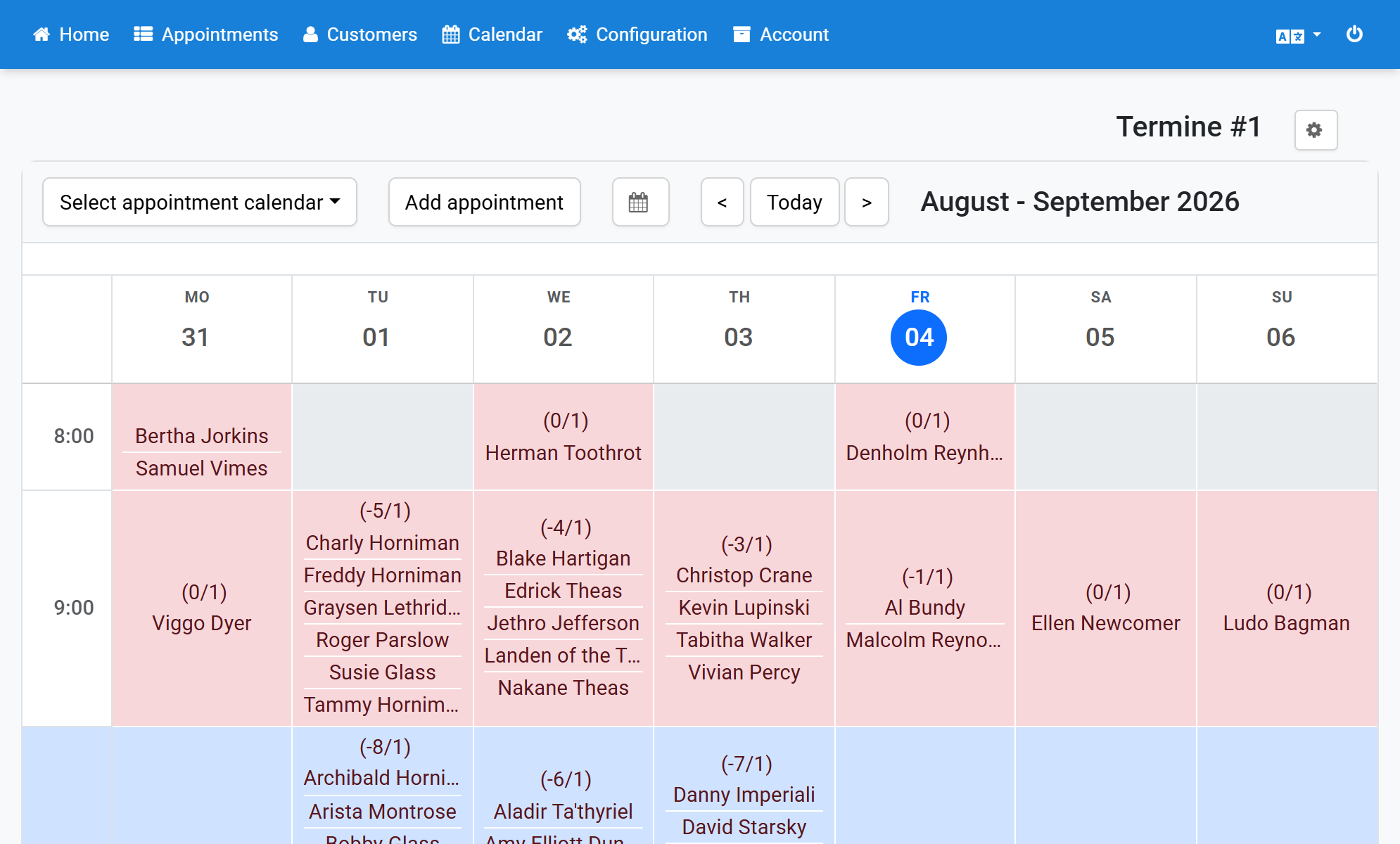
The timeslots are now available in the frontend calendar
8